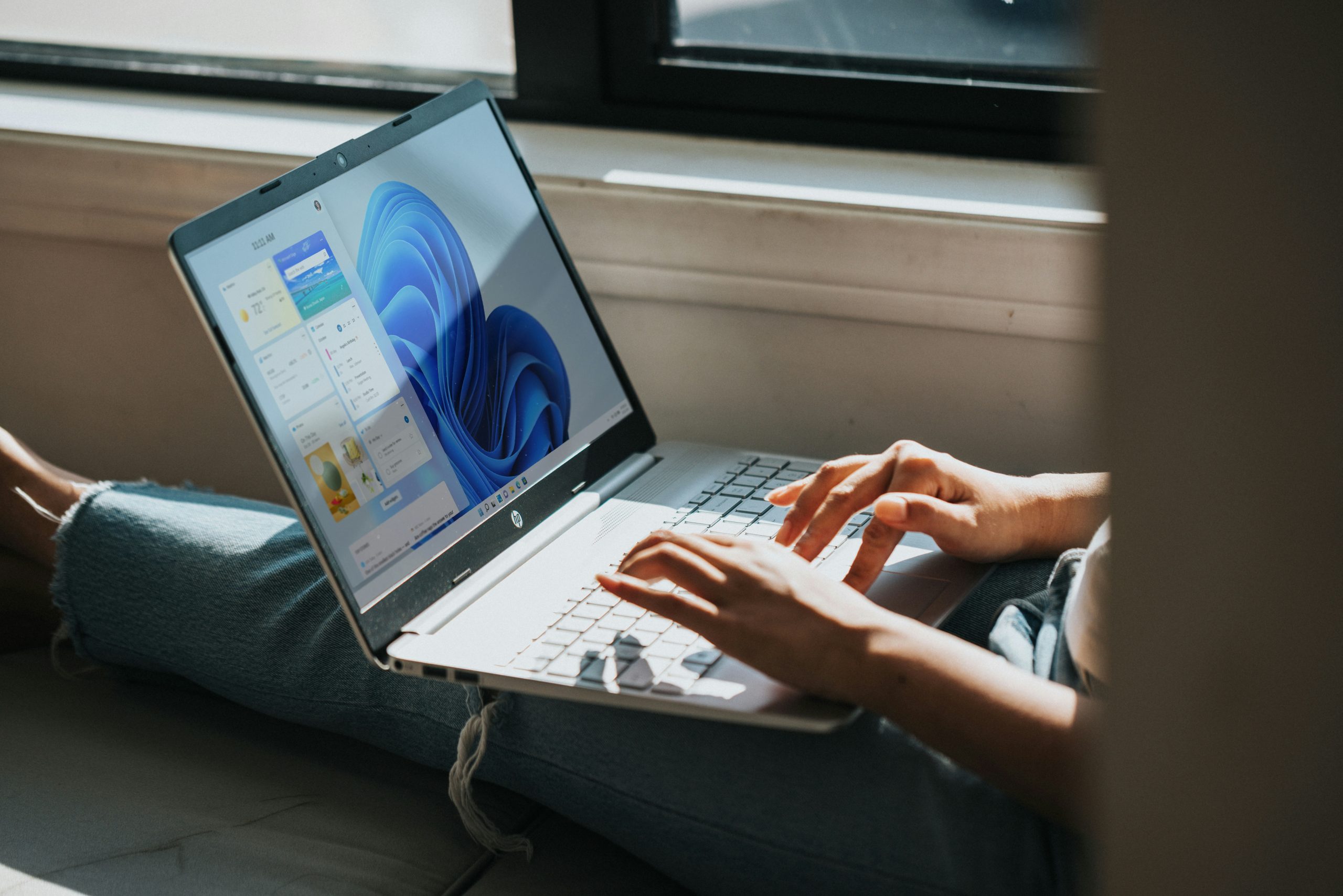
Upgrading to Windows 11 is a forward-thinking decision that enhances your computer’s performance, security, and user experience. Whether you’re a casual user, a professional, or a gamer, Windows 11 offers compelling features that make it an essential upgrade. As of July 16, 2025, here’s why switching to Windows 11 is a smart move for your computer.
1. Modern and Streamlined Interface
Windows 11 introduces a sleek, intuitive interface designed to boost productivity. The centered Start menu, redesigned taskbar, and rounded window corners create a visually appealing and modern workspace. The Widgets panel provides instant access to personalized content, such as news, weather, and calendar updates. Features like Snap Layouts and Snap Groups make multitasking seamless, allowing you to organize multiple windows with ease. This refreshed design simplifies workflows and enhances daily use.
Windows 11 introduces a sleek, intuitive interface designed to boost productivity. The centered Start menu, redesigned taskbar, and rounded window corners create a visually appealing and modern workspace. The Widgets panel provides instant access to personalized content, such as news, weather, and calendar updates. Features like Snap Layouts and Snap Groups make multitasking seamless, allowing you to organize multiple windows with ease. This refreshed design simplifies workflows and enhances daily use.
2. Superior Performance and Efficiency
Windows 11 is engineered for speed and efficiency, leveraging the latest hardware advancements. It offers faster boot times, improved memory management, and better power efficiency, which extends battery life on laptops. For users with compatible hardware, features like DirectStorage reduce game loading times, while Auto HDR enhances visual quality. Even older systems meeting the minimum requirements will experience smoother performance compared to Windows 10.
Windows 11 is engineered for speed and efficiency, leveraging the latest hardware advancements. It offers faster boot times, improved memory management, and better power efficiency, which extends battery life on laptops. For users with compatible hardware, features like DirectStorage reduce game loading times, while Auto HDR enhances visual quality. Even older systems meeting the minimum requirements will experience smoother performance compared to Windows 10.
3. Robust Security Enhancements
In today’s world of increasing cyber threats, Windows 11 prioritizes security. It mandates TPM 2.0 (Trusted Platform Module) and Secure Boot, providing hardware-based protection against malware and unauthorized access. Windows Hello offers fast, secure biometric logins, and Microsoft Defender Antivirus includes advanced cloud-based threat detection. Upgrading to Windows 11 ensures your computer is protected against modern security risks.
In today’s world of increasing cyber threats, Windows 11 prioritizes security. It mandates TPM 2.0 (Trusted Platform Module) and Secure Boot, providing hardware-based protection against malware and unauthorized access. Windows Hello offers fast, secure biometric logins, and Microsoft Defender Antivirus includes advanced cloud-based threat detection. Upgrading to Windows 11 ensures your computer is protected against modern security risks.
4. Seamless Integration with Microsoft Services
Windows 11 integrates effortlessly with Microsoft 365, Teams, and other services, making it ideal for remote work and collaboration. Microsoft Teams is built into the taskbar, enabling instant chats and video calls. The revamped Microsoft Store provides a wider range of apps, including Android apps via the Amazon Appstore. This cohesive ecosystem enhances productivity and entertainment for all users.
Windows 11 integrates effortlessly with Microsoft 365, Teams, and other services, making it ideal for remote work and collaboration. Microsoft Teams is built into the taskbar, enabling instant chats and video calls. The revamped Microsoft Store provides a wider range of apps, including Android apps via the Amazon Appstore. This cohesive ecosystem enhances productivity and entertainment for all users.
5. Future-Proof Your Device
Microsoft will end support for Windows 10 on October 14, 2025, meaning no further security updates or new features after that date. This leaves Windows 10 systems vulnerable and outdated. Upgrading to Windows 11 ensures your computer remains supported with ongoing updates, new features, and compatibility with the latest software and hardware. It’s a proactive step to keep your device relevant for years to come.
Microsoft will end support for Windows 10 on October 14, 2025, meaning no further security updates or new features after that date. This leaves Windows 10 systems vulnerable and outdated. Upgrading to Windows 11 ensures your computer remains supported with ongoing updates, new features, and compatibility with the latest software and hardware. It’s a proactive step to keep your device relevant for years to come.
6. Enhanced Gaming and Creative Tools
Windows 11 is a game-changer for gamers and creatives. Features like Auto HDR and Direct Storage deliver stunning visuals and faster load times for compatible games. Xbox Game Pass integration provides seamless access to a vast game library through the Microsoft Store. For creative professionals, Windows 11’s improved support for touch, pen, and voice inputs makes it a versatile platform for design, art, and content creation. Is Your PC Ready for Windows 11?
Windows 11 is a game-changer for gamers and creatives. Features like Auto HDR and Direct Storage deliver stunning visuals and faster load times for compatible games. Xbox Game Pass integration provides seamless access to a vast game library through the Microsoft Store. For creative professionals, Windows 11’s improved support for touch, pen, and voice inputs makes it a versatile platform for design, art, and content creation. Is Your PC Ready for Windows 11?
Before upgrading, verify that your computer meets Windows 11’s requirements: a 64-bit processor, 4GB of RAM, 64GB of storage, TPM 2.0, and Secure Boot. Microsoft’s PC Health Check tool can confirm compatibility. If your device doesn’t meet these requirements, consider upgrading your hardware or exploring Microsoft’s trade-in programs for a Windows 11-compatible PC.
Conclusion
Upgrading to Windows 11 is a smart investment in a faster, more secure, and future-ready computing experience. Its modern interface, performance optimizations, and versatile features cater to a wide range of users, from professionals to gamers. With Windows 10 support ending in October 2025, now is the ideal time to make the switch and ensure your computer remains cutting-edge. Ready to upgrade? Visit Microsoft’s official website (https://www.microsoft.com/en-us/windows/windows-11) for a free Windows 11 upgrade guide and take the first step toward a smarter computing experience today!
Upgrading to Windows 11 is a smart investment in a faster, more secure, and future-ready computing experience. Its modern interface, performance optimizations, and versatile features cater to a wide range of users, from professionals to gamers. With Windows 10 support ending in October 2025, now is the ideal time to make the switch and ensure your computer remains cutting-edge. Ready to upgrade? Visit Microsoft’s official website (https://www.microsoft.com/en-us/windows/windows-11) for a free Windows 11 upgrade guide and take the first step toward a smarter computing experience today!